
Year: 2010; Updated 2011, 2012
Media: Broadcast Touchscreen
Employer: ESPN

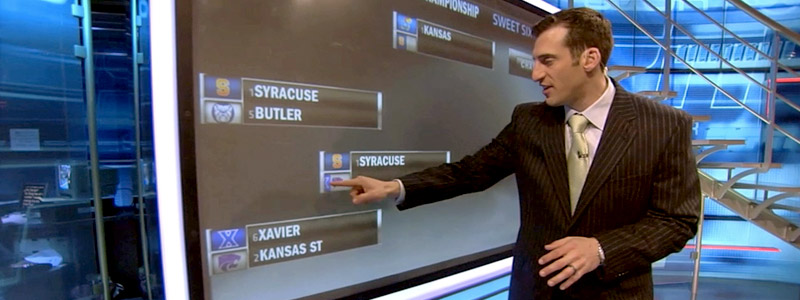
The NCAA Brackets graphic gives analysts the ability to forecast winners of games, analyze matchups, view team stat panels, and engage in what-if storytelling.

The analyst selects a region and, using a two-finger stretch gesture, resizes the brackets to zoom in to a particular set of matchups.

Swiping an unopened bracket opens it to reveal the matchups in the next round. To project a winner of a matchup, the analyst slides a double logo left or right, and the matchup automatically updates with the selected winner.

The projected winner is also automatically advanced to the next round’s matchup. The logo block and text in the next round’s matchup update with the projected winner of the preceding matchup. The analyst can then slide the logo block left or right to project a winner of that matchup as well.

At any point, the analyst can change projected winners by sliding a single logo to reveal the other team in the matchup. When this occurs, all matchups in that lineage reset, and the projected winners must be reselected because of the changed matchup.

Using the slide-out menu on the left or right, the analyst can move from region to region or can rearrange the bracket layout to better group brackets when moving deep into the tournament.

Double tapping on a single team logo reveals that team’s résumé. Double tapping on a double logo will immediately launch both team’s résumés. To dismiss résumés, the analyst flicks them off the screen.

Roles:
Concept
VIZ Development & Scripting
Implementation & Support
Analyst Training

Software:
VIZ Artist
Perceptive Pixel

NCAA Brackets Touchscreen

Walkthrough of all the functionality in the graphic: