
Year: 2010
Media: Broadcast Touchscreen
Employer: ESPN
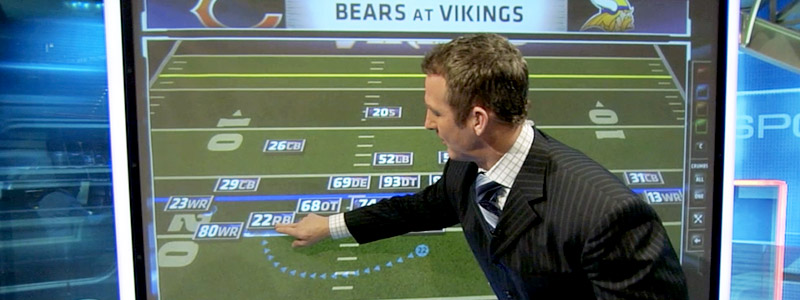
The ESPN PlayBook graphic gives analysts the ability to create, analyze, and forecast plays with an interactive field and player chips; swap players via position depth charts; view player résumés; and telestrate.
When the analyst finishes creating a formation with the player chips, the position and contents of the player chips can be saved by the analyst at the touchscreen. The next time the graphic is loaded, then, the player chips return to where the analyst placed them.
With a two-finger stretch gesture, the analyst can zoom in to the field. The analyst can move the field around by tapping and dragging on the field. Each player chip can be moved as well by single tapping and dragging the chip. As each player chip moves, a breadcrumb trail is drawn behind the player to indicate the starting position and the path of movement.
Double tapping on a player chip raises the chip off the field and exposes three chip wings: the player’s last name on the top, a résumé button on the left, and a depth chart button on the right.
Using the depth chart, the analyst can replace the player on the field with a different player either of the same position or a different position. Pulling down on the position header reveals buttons to display other positions.
Roles:
Concept
Design
VIZ Development & Scripting
Implementation & Support
Analyst Training
Software:
VIZ Artist
Perceptive Pixel
Walkthrough of all the functionality in the graphic: